
One Checkout for B2B and B2C to Accelerate Your GMV
1794574800000
We’re excited to announce that Optimized One-Page Checkout is now generally available for B2B Edition.
This release brings an improved native checkout experience to B2B Edition stores, with one checkout that supports both B2B and B2C on BigCommerce. Instead of two separate checkouts, B2B Edition functionality is now built directly into the native checkout. Your buyers get a fast, modern checkout, and you get a single foundation to build on. Here’s why it matters and how to move over.
Why Unified Checkout
Easier to extend and maintain. B2B and B2C share a single checkout codebase, so there’s one place to customize and one upgrade path to follow.
New capabilities arrive natively. Checkout improvements, such as UX enhancements, now reach B2B stores by default, without waiting to be adapted for the previous B2B Checkout.
Better performance. Optimized One-Page Checkout loads faster than the B2B checkout it replaces, which helps buyers get from cart to order with less friction.
A foundation built for growth. A faster, continuously improving checkout helps you convert more of the buyers you’ve worked hard to attract.
Where your store stands
We’ve automatically migrated eligible B2B Edition stores to Optimized One-Page Checkout, so many merchants didn’t need to do anything. To confirm, go to Settings › Checkout in your BigCommerce Control Panel. If Optimized One-Page Checkout is selected and B2B Settings is checked, your store has already been migrated.
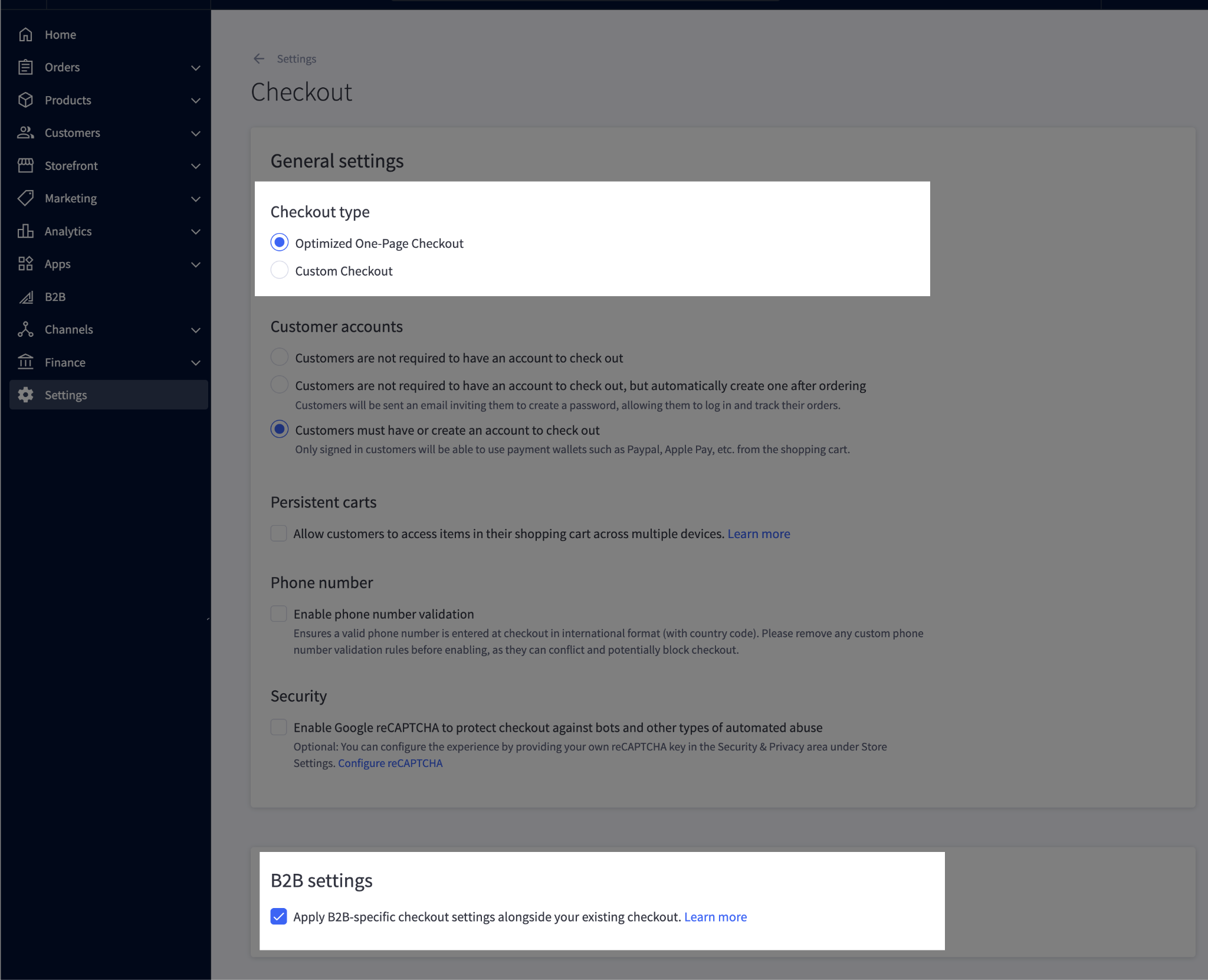
BigCommerce Control Panel › Settings › Checkout
You may also see one of the views below in your B2B Edition Control Panel under Settings › Checkout. They’re consistent with a migrated store.
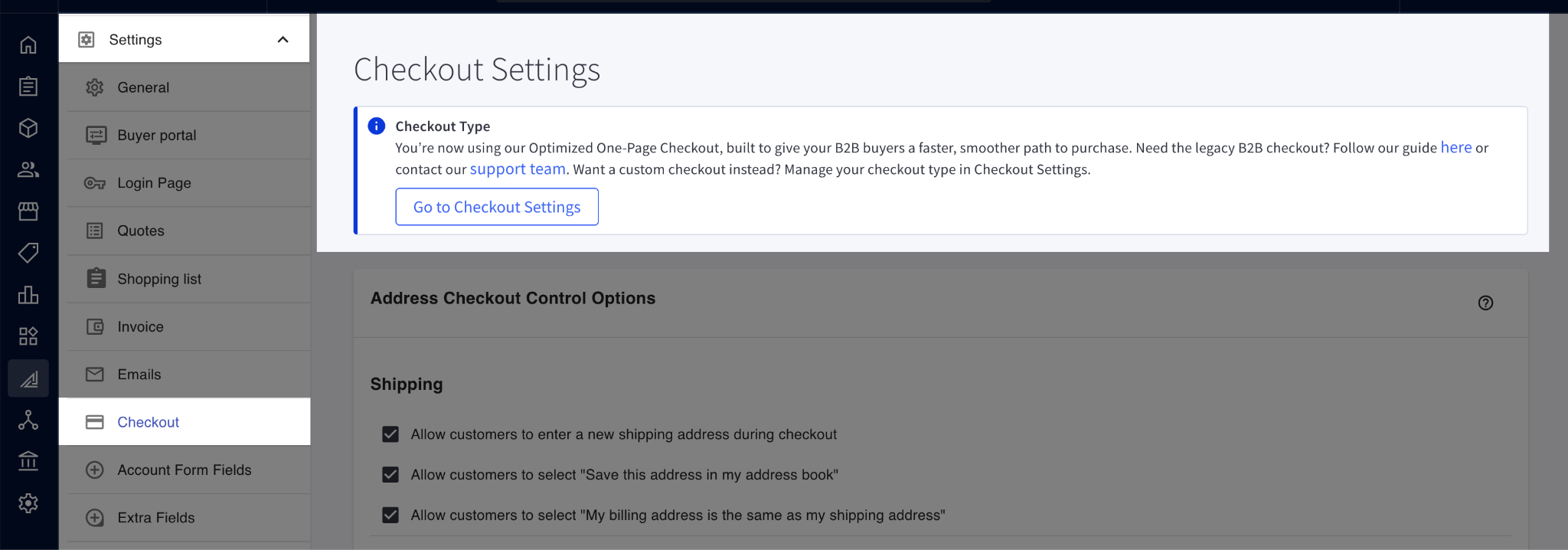
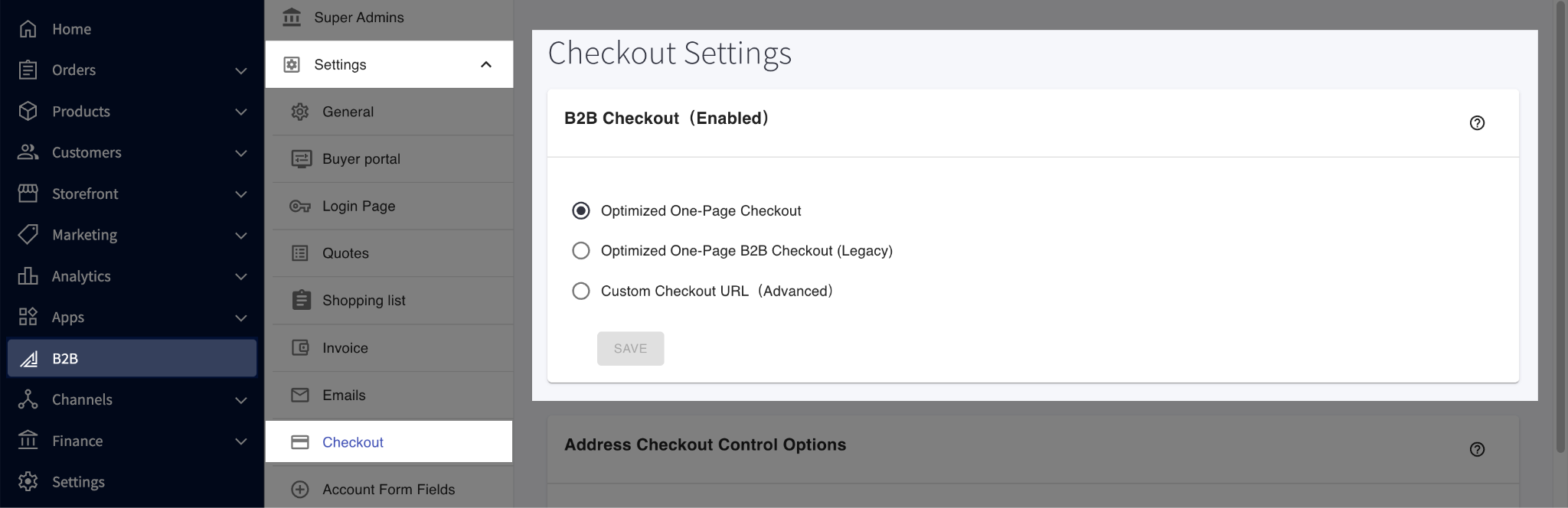
B2B Edition Control Panel › Settings › Checkout
If your BigCommerce Control Panel shows something different, such as Custom Checkout selected, your store wasn’t migrated automatically. This applies to stores with a custom B2B checkout or scripts in Script Manager that target the checkout page. We didn’t want to risk disrupting your customizations. If that’s your store, you can opt in on your own timeline, and we encourage you to do it soon so you can take advantage of every new checkout improvement.
Also note that all newly provisioned stores now use the Optimized One-Page Checkout instead of the B2B Checkout. As a result, we’ve stopped granting access to the B2B Checkout repo to merchants and partners who request it. If you’re an agency or partner who builds custom checkouts for merchants, please stop using it as your foundation and build from the public checkout-js repo instead.
What you should do
If your store was auto-migrated
No action is needed. We recommend a quick check of your checkout flow.
If you’re building or planning to build checkout customizations
Build on Optimized One-Page Checkout, not the legacy B2B Checkout.
In your BigCommerce Control Panel under Settings › Checkout, make sure Optimized One-Page Checkout is selected and B2B Settings is checked.
To enhance checkout functionality, create scripts in the Control Panel’s Script Manager with the location set to “Checkout”.
If you need more complex customization, host your own custom checkout built on the public checkout-js repo. In that case, set your checkout type to Custom Checkout instead, in your BigCommerce Control Panel under Settings › Checkout, and enter your checkout’s Script URL (Custom Checkout settings).
If your store wasn’t auto-migrated
This applies if you have a custom B2B checkout or Script Manager scripts that target the checkout page.
Prepare your checkout:
Custom B2B checkout: migrate your customizations to checkout-js.
Script Manager scripts: verify that your scripts work correctly with Optimized One-Page Checkout.
Test everything in your sandbox.
Once verified, switch to Optimized One-Page Checkout in the B2B Edition Control Panel.
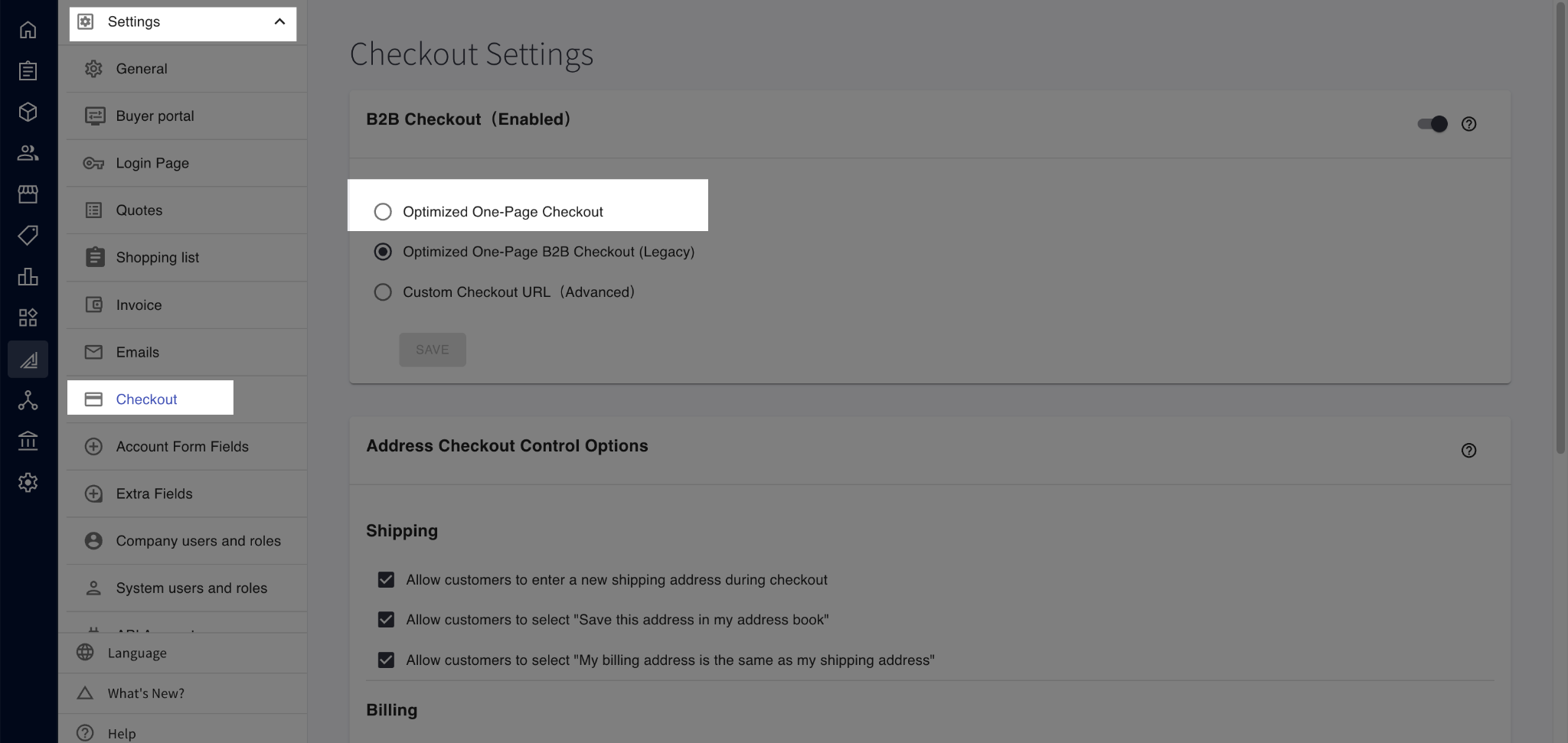
If you host your own custom checkout, also set your checkout type to Custom Checkout in your BigCommerce Control Panel under Settings › Checkout, and enter your checkout’s Script URL (Custom Checkout settings).
For agency and technical partners
You play a key role in helping merchants make this move smoothly. Please reach out to your B2B merchant clients now to plan their migration, and build all new checkout work on the public checkout-js repo.
Additional resources
Knowledge base articles: B2B Edition Settings | Optimized One-Page Checkout
Developer documentation: checkout-js on GitHub
Did you like this update?


Leave your name and email so that we can reply to you (both fields are optional):
